This is the Best Guide to your First Build !!
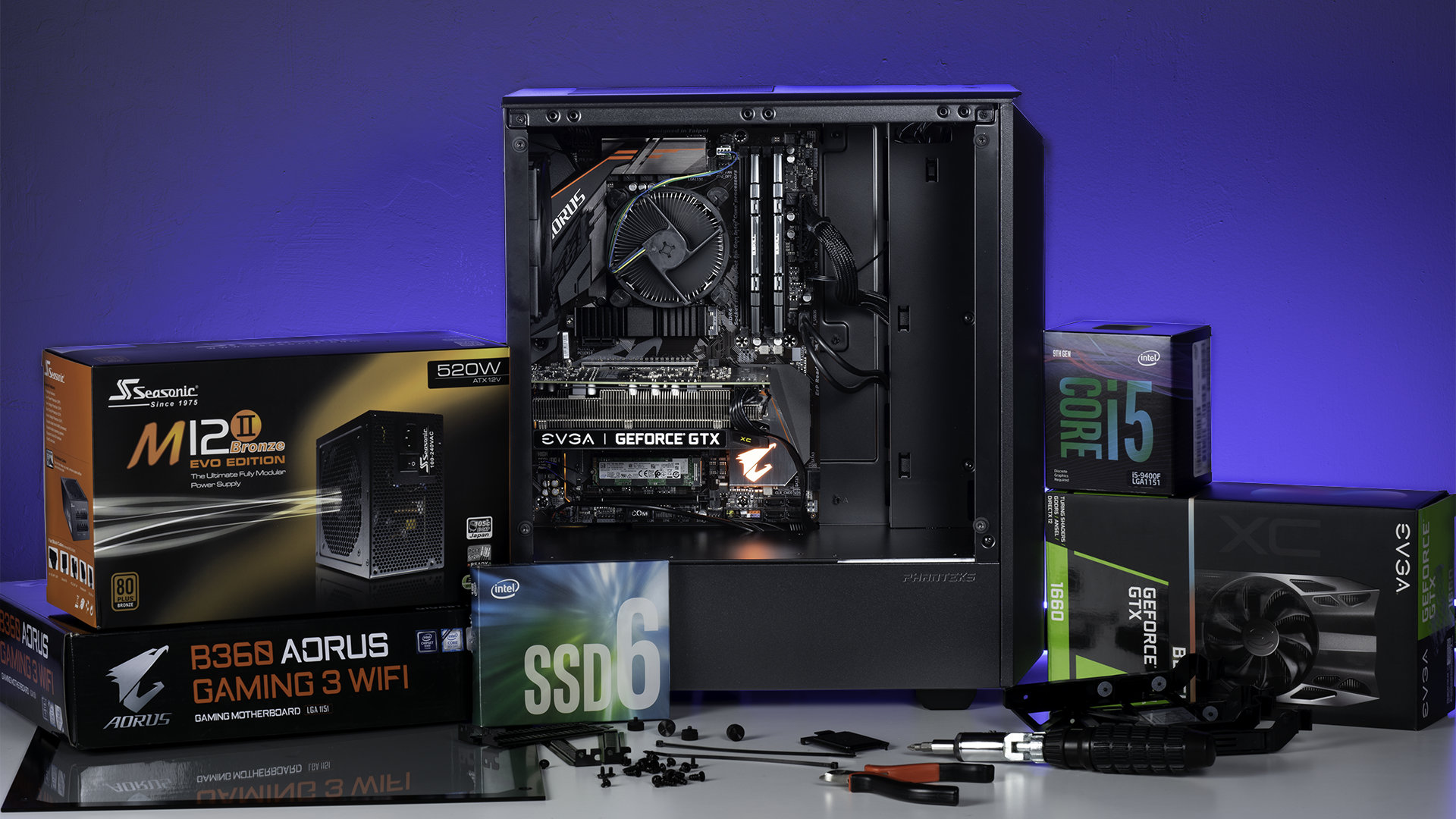
Let's Cover The BASICS
Choosing the right components for your build you need can be a intimidating process at first, but once you dive in, you’ll see that it’s not only surprisingly simple, it’s a whole lot of fun as well.
This guide is by no means meant to be exhaustive, it’s more a fresher on what you’ll need to know to gather up the right parts, and start putting your Dream Build together.
CPU
The CPU is the brain of the PC. It’s what converts the instructions you provide into actions the computer can execute, and tells all the other parts of your build how to work together. If the CPU is the brain, the rest of the system is the body.
The two primary manufacturers in the consumer PC space are Intel and AMD, and even within those brands, there are plenty of choices.
- For AMD you’ll most likely be looking at a third generation Ryzen.
- Intel’s Core ' i ' designated CPUs are all solid choices, though you’ll probably want to consider a 12th Gen i5 or i7 if you’re looking to put together a serious gaming or streaming rig.
MOTHERBOARDS
The motherboard is basically a large circuit board that connects all the components inside your PC, and provides communication between all the different hardware.
As with anything in PC building, there is a plethora of options, from Basic Motherboards at the lower-end of the price spectrum all the way up to Top-of-the-Line Boards with all sorts of bells and whistles.
Graphical Processing Unit ( GPU)

The Graphics Processing Unit (GPU) will have the biggest impact on your gaming experience.
The GPU is essentially what allows your computer to do the complex graphics calculations that allow your PC games to look that good. Though many CPUs have integrated graphics, a GPU is absolutely required if you want to have a great PC gaming experience.
The two biggest competitors in the world of graphics cards are AMD and Nvidia.

MEMORY/RAM

Random Access Memory (RAM) is basically your PC’s short-term memory. It keeps data you access regularly easily accessible, so your PC doesn’t have to access a storage device every time you need to access that data. It’s different from your primary storage devices in that RAM resets when it doesn’t have power, which is why you still need larger storage drives for long term data storage.
When it comes to RAM, the more the better. You can’t really have too much RAM, but for practical purposes, most gaming systems/workstations will be fine with 16GB, or 32GB if you want to future- proof your PC for several years.
STORAGE

Storage is where your data is stored, so your PC can access it. This includes files, games, your operating system, any data that you need to access will be kept on a storage drive. In the past, storage mostly consisted of Hard Disk Drives (HDD), but now Solid State Drives (SSD) are more widely available. SSDs are drastically faster, quieter, and more durable, but also cost more per gigabyte.
The right storage solution will vary, though a common configuration is a smaller NVMe or SATA SSD for your operating system and most commonly used files, and a larger HDD for your larger files.
POWER SUPPLY UNIT ( PSU )

As you probably guessed by the name, the Power Supply Unit (PSU) provides the power that allows your build to function.
The PSU is often overlooked, because if you have a relatively simple build, any power supply will usually work. That said, it’s absolutely worth doing your research on efficiencies, wattage, and quality, especially if you’re putting together a more complex system. If you are using high-end video cards (or multiple video cards) or a custom cooling loop, you’ll definitely want to make sure you have a PSU with enough wattage.
CPU HEATSINK / COOLER

Your CPU works incredibly hard, and that creates heat.
Keeping your CPU cool is essential to your system running properly, and though many CPUs already come with a cooler, often times you’ll want something a little more powerful. These options can range from simple fans and heatsinks to AIOs.
For your first build, you’ll probably want either a fan based solution, or an All In One (AIOs) liquid CPU cooler if you’re planning on overclocking your CPU.
CASES / CABINET

This is where all of your PC parts are going to live, and what most people think of when they imagine a PC.
Cases are one of the most customizable parts of a PC, so you can get cabinet/cases in just about every shape and sizes you can imagine.
Though every case is different, they are all designed for essentially the same components, meaning they share similarities across brands and layouts. There’s always going to be a place to install the motherboard ( MOBO ) and power supply ( PSU ), for example, though the configurations of where everything is located may vary.


Comments
Post a Comment